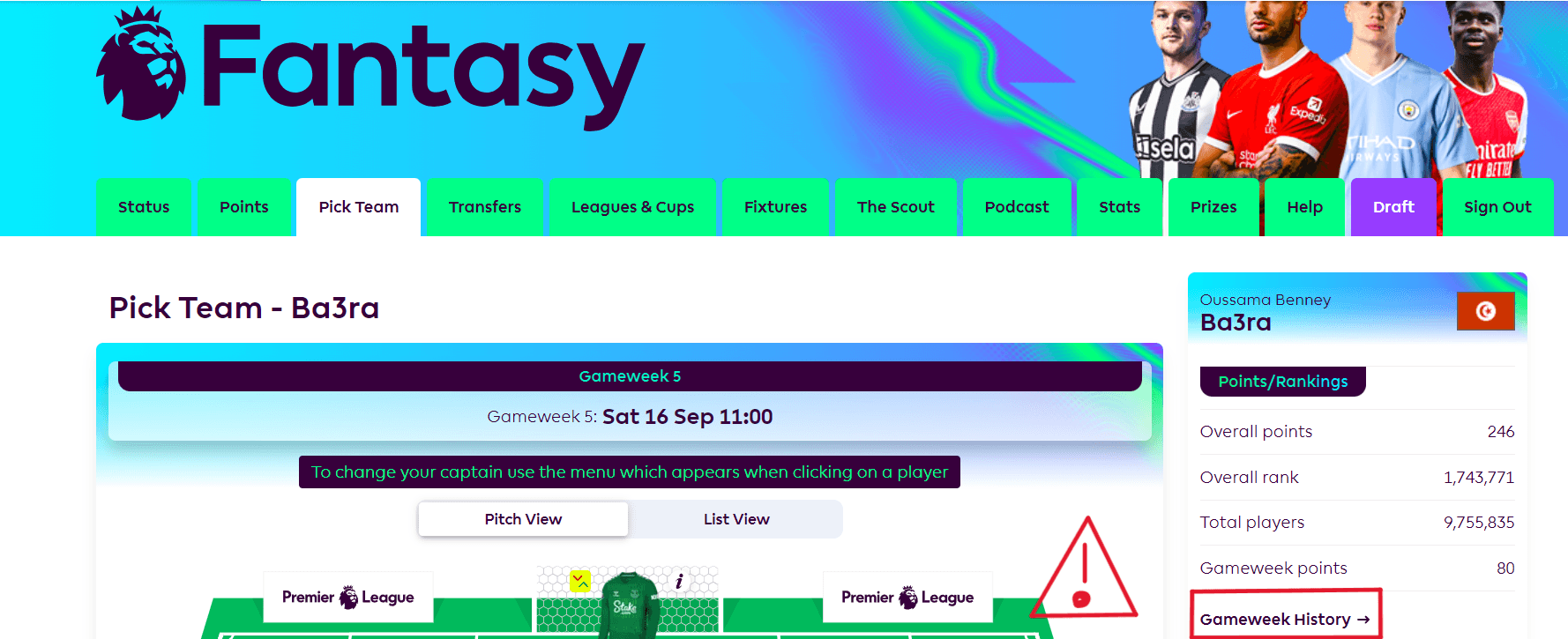
1. Initially, log in to your account on fantasy.premierleague.com and then proceed by selecting the Pick Team tab, as illustrated below:
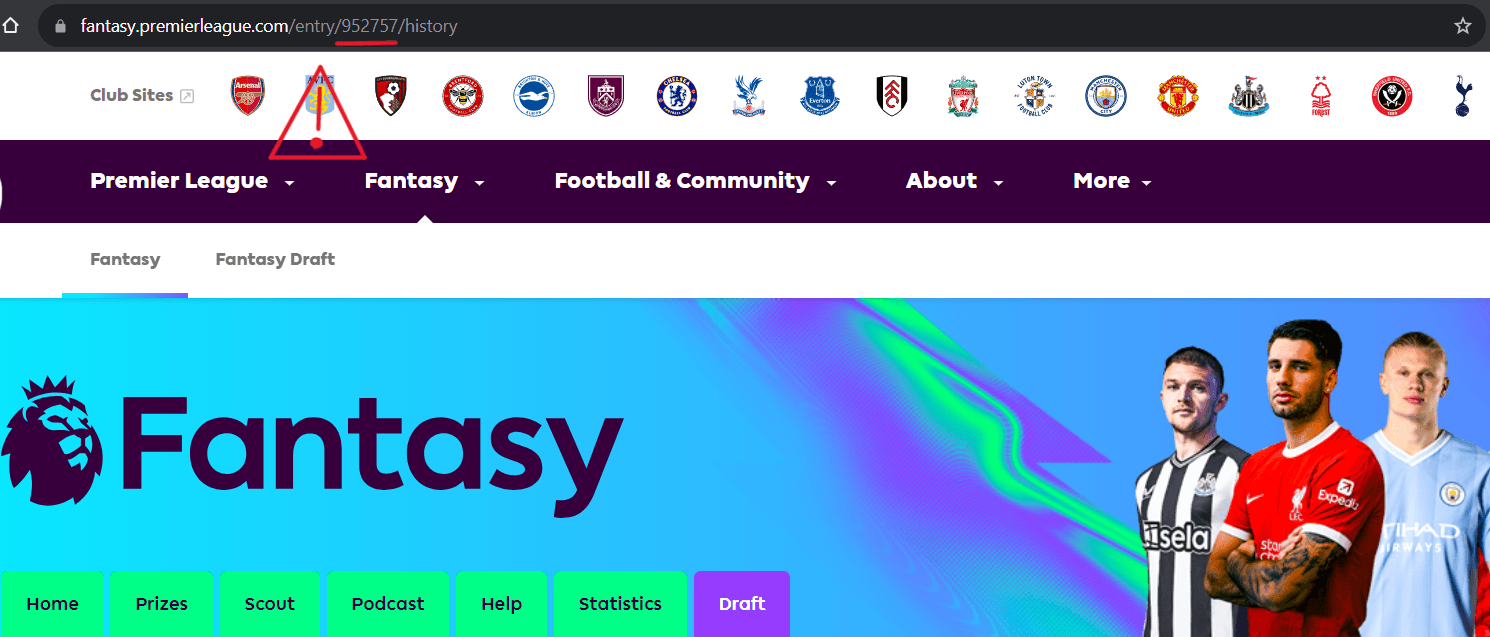
2. Once here, look to the right for a link titled Gameweek history ➜. Click on it. When the page reloads, look at the address bar URL. The number at the end is your ID (e.g. 952757).